
Natural
Keep a balanced amount of visible sheen and texture while previewing a more even-looking complexion.
Use a virtual foundation try on to compare Natural, Matte, or Light Coverage on your face. The private preview asks the model to preserve identity, facial hair, and normal skin texture.
Generate Private PreviewPrivate result · Server-provided credit cost before generation · Refund on verified task failure.
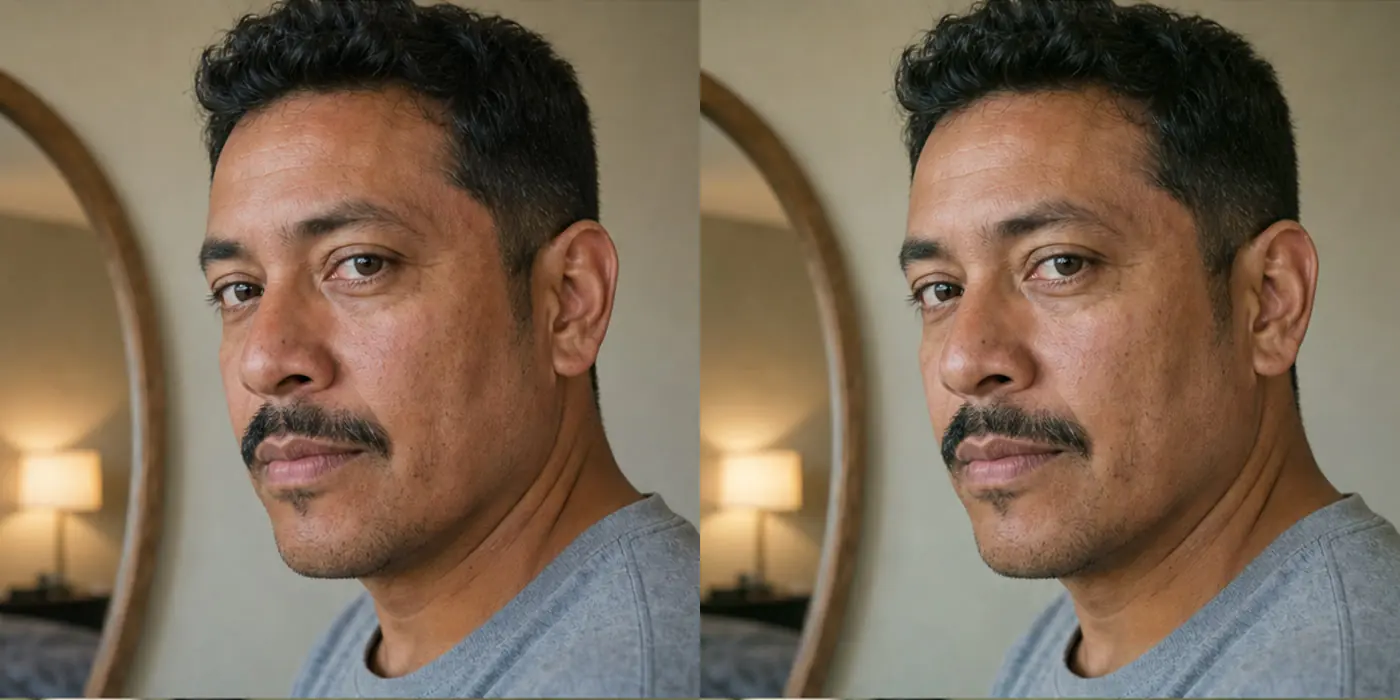
Upload one clear selfie, choose a restrained finish, and review the live server-provided credit cost before generating a private before-and-after preview.
Upload or capture a selfie once, then complete every step without leaving this workspace.
Results stay private for up to 30 days. Deleting one does not restore credits.
Each preset changes the foundation-finish prompt, not the identity, face shape, hairstyle, lighting scene, or background.
Keep a balanced amount of visible sheen and texture while previewing a more even-looking complexion.
Reduce visible shine without turning the face into a flat or airbrushed surface.
Apply the smallest visible change, preserving freckles, beard texture, and normal variation.
A useful virtual foundation try-on changes the finish direction while leaving the person recognizable.
Eyes, nose, mouth, face shape, expression, hairstyle, and background should remain consistent.
Beard, mustache, stubble, eyebrows, and hairline should stay visible.
Pores, freckles, fine lines, and normal variation should not disappear into an airbrushed mask.
The difference should be limited to the selected coverage and finish direction.
The three presets answer different questions. Choose the smallest change that helps you compare a finish, then judge the output beside the original instead of treating it as a guaranteed product result.
Start here when you want a subtle, everyday direction that keeps normal sheen and visible texture rather than looking fully matte.
Use Matte to compare a lower-shine direction while checking that the face still has depth and does not become flat or airbrushed.
Choose Light Coverage when you mainly want to see whether a restrained tone-evening direction still leaves freckles, beard texture, and variation visible.
Keep the source photo and crop consistent when comparing presets. Changing the image as well as the finish makes the differences harder to judge.
Generative output can drift. Review the preview as a visual direction only and reject it when details outside the requested foundation finish change.
The person should remain recognizable. Changes to eyes, nose, mouth, expression, age, or face shape are not part of the requested task.
Stubble, mustache, beard lines, eyebrows, and hairline should remain present rather than being blurred into the complexion.
Normal pores, fine lines, freckles, and variation should stay visible. An overly smooth mask is not a trustworthy preview.
The camera angle, clothing, lighting scene, crop, and background should stay consistent so the comparison remains understandable.
A virtual foundation try on cannot model a specific product formula, ingredients, oxidation, wear time, or the way a real camera and room light will affect the finish.
Decide whether Natural, Matte, or Light Coverage feels closest to your goal before comparing real products and shade ranges.
Use a real jawline swatch in consistent light. A generated preview cannot guarantee the depth or undertone of a retail shade.
Read ingredients and product guidance and stop using anything that irritates your skin. Foundation Men does not provide medical or dermatology advice.
Successful previews stay in private history for up to 30 days and can be deleted sooner from the tool or account history.
A clean-looking image is not automatically a useful comparison. Retake the source or reject the preview when the result hides the details you need to make a real foundation decision. Saving a polished but misleading result only makes the later swatch choice in stores harder.
Strong side light, colored bulbs, smoothing filters, and deep shadows make it hard to tell whether a finish change came from the preset or the source image.
Discard a preview that changes face shape, expression, eyes, nose, mouth, age, hair, or background. Those changes are outside the foundation task.
An airbrushed surface that removes pores, freckles, fine lines, beard edges, or normal variation is not a reliable representation of a restrained finish.
Compare one finish at a time on the same photo. A focused Natural-versus-Matte decision is easier to judge than several changes across different images.
New verified accounts receive 8 complimentary credits. Compare Basic and Pro when you want more private previews, monthly credits, and the same billing controls in your dashboard.
No. It is a generated broad finish direction and cannot reproduce a specific retail shade, formula, oxidation behavior, or real-world coverage.
The prompt asks the model to preserve those details, but generative models can make mistakes. Compare the result carefully and delete anything that changes them.
A verified Provider1 task failure returns the consumed credits. An ambiguous private-copy or credit state enters review and shows a request ID.
A successful preview remains private for up to 30 days and can be deleted sooner. Temporary input is removed much earlier.
Yes, subject to the live credit cost for each generation. Keep the same clear source photo when comparing Natural, Matte, and Light Coverage so the finish is the main variable.
No. Use it to compare a broad finish direction, then confirm real shade depth, undertone, formula, and oxidation with an in-person swatch.
Return to the workspace to generate a private virtual foundation try on, or compare plans before creating more Foundation Men previews.