
Short and simple
Crew Cut and Buzz Cut show restrained short-hair directions while preserving the visible hairline.
Use this hairstyle try on for men to compare six bounded haircut directions on one clear photo before committing to a new cut.
Generate Hairstyle PreviewHair-only preview · Identity and the rest of the scene should stay consistent · Private for up to 30 days.
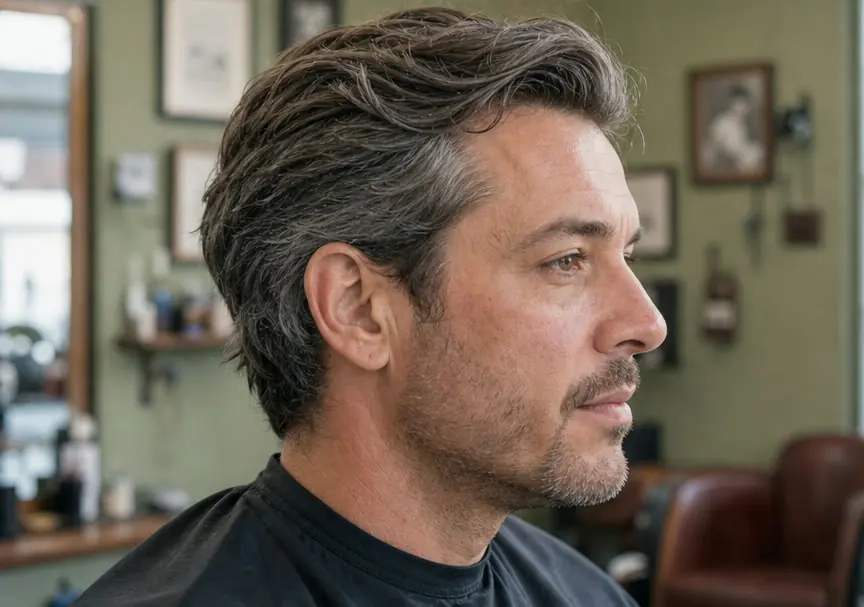
Upload a clear front-facing photo, choose one of six launch presets, and review the server-provided credit cost before generating a hair-only preview.
Upload or capture a selfie once, then complete every step without leaving this workspace.
Results stay private for up to 30 days. Deleting one does not restore credits.
Choose a launch preset as visual inspiration. Hair length, density, texture, growth pattern, and a barber’s technique affect what can be reproduced.
Crew Cut and Buzz Cut show restrained short-hair directions while preserving the visible hairline.
Textured Crop and Low Fade explore shape and blend without changing the rest of the face.
Slick Back and Medium Flow preview longer directions when plausible for the source photo.
The edit contract limits the requested change to head hair. Generative models can still make mistakes, so inspect the result before trusting it.
Face shape, expression, eyes, nose, mouth, and visible skin tone should stay consistent.
The tool does not simulate hair restoration, hair loss, beard removal, or age change.
Clothing, lighting, camera angle, crop, and background should remain consistent.
The tool does not add makeup, accessories, hair color changes, or public-figure features.
Each preset is a visual direction, not a promise that every source photo or real haircut can reproduce it. Compare the overall shape first, then discuss feasibility with a barber.
Compare a short, practical direction with visible length on top and a familiar shape that can work as a conservative starting point.
Preview a close, even direction while checking whether the visible hairline and head shape still look consistent with the source photo.
Explore short texture or a lower blend without asking the model to change facial features, beard, skin, or the rest of the scene.
Compare longer styling directions only as inspiration; current length, density, texture, and growth pattern determine real feasibility.
A useful hairstyle try on depends on a photo that shows the current hairline, face shape, and enough of the head for the requested edit.
Stand near a window or in open shade and avoid strong backlight, colored bulbs, beauty filters, or shadows that hide the hairline.
Use a centered photo with one face and enough space around the hair. Tight crops make length and outline comparisons less reliable.
Caps, hoods, hands, headphones, and large accessories can hide the areas the hair-only edit needs to preserve or replace.
A recent unfiltered photo makes it easier to compare the preview with your present hairline, facial hair, and face shape.
Treat the preview as a reference for shape, length, and styling direction. A barber still needs to evaluate the real hair and explain what can be achieved.
Bring both images so the barber can see what changed and distinguish the desired hair direction from any accidental model drift.
Confirm whether your current length, density, texture, growth pattern, and hairline can support the direction now or require a transition.
Name the feature you care about most, such as top length, fringe direction, side blend, or overall silhouette, instead of asking for an exact copy.
Products, styling time, humidity, maintenance, and barber technique affect the result. Use the preview to communicate, not to guarantee.
A generated preview can make shape and length easier to discuss, but it cannot inspect your real hair or predict the finished cut. Keep these decisions for the barber consultation.
Current length, density, texture, cowlicks, growth pattern, and hairline determine whether a direction works now, needs a transition, or should be adapted.
A preview does not show daily styling time, product use, drying technique, humidity response, or how often the shape needs to be trimmed.
Scissor work, clipper guards, blending, taper placement, and finishing are professional choices. Use the image to communicate priorities, not as a cutting diagram.
The result is one still image. Consider your normal clothing, work setting, glasses, movement, and comfort before treating a new direction as a commitment.
A verified account starts with 8 complimentary credits. Compare Basic and Pro when you want to try more haircut directions or continue with the other private Foundation Men tools.
The launch version includes Crew Cut, Buzz Cut, Textured Crop, Low Fade, Slick Back, and Medium Flow.
The prompt asks the model to preserve identity, face shape, hairline, facial hair, skin, clothing, lighting, and background. Compare the result carefully.
No. It is visual inspiration. Real hair length, density, texture, growth pattern, products, and barber technique affect the outcome.
Not at launch. Foundation Men uses six bounded hairstyle presets and keeps the existing visible hair color.
No. The task is limited to a selected hairstyle direction. It does not promise hair restoration, change visible hair color, remove facial hair, or alter age.
Show the original and generated preview together and explain the shape, length, or blend you like. Your barber can assess whether your real length, density, texture, and growth pattern support it.
Return to the workspace for a private hairstyle try on for men, or compare plans before generating more hair-only previews.